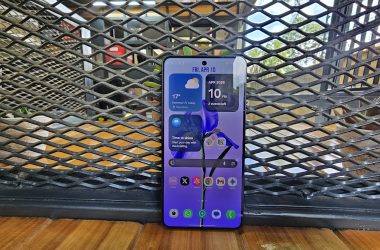



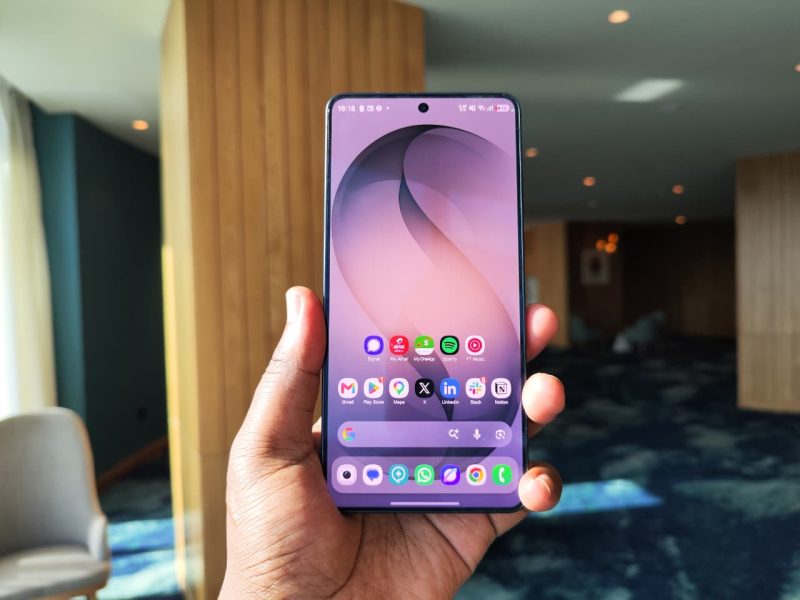
Samsung has a habit of launching a headline feature that gets called a gimmick for a few weeks. This year’s is a screen that goes dark for anyone who isn’t looking at it head-on. Many months later, it’s the rare gimmick that has stayed useful, and it sits on top of what is simply a very good phone.
The price depends on who’s selling
The S26 Ultra went on sale on 11 March. In Kenya, pre-orders started at KES 171,400 for the 12GB/256GB model and KES 197,300 for the 512GB. This is a serious amount of money, so the grey market can be attractive to some buyers. Within a few months, some Kenyan retailers were selling the 256GB model brand new at around KES 124,000 to 130,000, while the bigger outlets still held out near KES 150,000. The gap is there, but so are the trade-offs of importer stock, so check the warranty before you chase the lowest price.
The price pressure is also running the other way; for example, in the US, Samsung has since added $100 to the whole S26 range, citing rising memory costs.
The screen (privacy display)
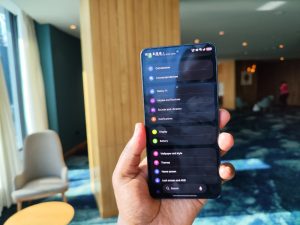
Privacy Display is the reason to buy this phone because it isn’t a software dimming trick. Samsung rebuilt the panel with two sets of pixels. It works a bit like a glasses-free 3D display and sends light in particular directions and cuts it off at the sides, so anyone peering over your shoulder sees almost nothing.
You can dim the entire screen at any angle, apply the effect to chosen apps like banking or chat apps, or limit it to notifications and sensitive text. It can also switch on automatically whenever you type a PIN or password. I keep it on for specific apps and for notification pop-ups, and I leave the full-screen mode off. You get the protection when you need it without paying for it the rest of the time.
Note: expect some loss of brightness and viewing angle, plus more glare than on the S25 Ultra. Lab measurements by newsrooms with resources also found the panel a touch dimmer than last year’s, even with the feature off. A smaller group of people report eye discomfort or headaches, which is thought to come from the multi-angle pixel structure. If you’re sensitive to flicker or eye strain, try one in a shop before you commit.
Thinner and rounder
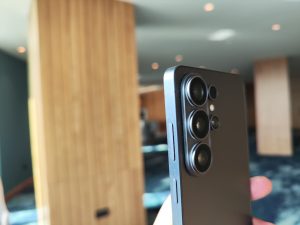
This is the nicest-feeling Ultra in years, and that is after using the S25 and S23 ultra for a few months. The razor-sharp side edges are gone, and the rounder frame is much easier to use one-handed. It’s 0.3mm thinner than before and weighs 214 grams. It is still a big phone, but it no longer feels like carrying a paving slab.
The camera bump sticks out further, so the phone wobbles on a table even in a case. Samsung also moved from titanium to an aluminium frame to get the weight down. I don’t miss the titanium in my hand, but it does feel odd on a phone at this price.
Battery
The battery is the same 5,000mAh cell as last year, while Chinese rivals are shipping much larger silicon-carbon packs, which is a miss.
In daily use, I’d call the battery great. I get through full days comfortably thanks to the efficiency of the Snapdragon 8 Elite Gen 5 for Galaxy. How hard you push the screen and how much you rely on mobile data will move that number around.
Charging is the other half of the story: thanks to wired charging, it goes from 45W to 60W, and a 67W charger took the phone from empty to 80% in about 30 minutes. It makes the lack of a bigger battery far easier to forgive.
Samsung batteries have a reputation for fading after about a year, and I’ll be watching for it. I can’t tell you yet whether the S26 Ultra bucks the trend. Samsung promises seven years of OS updates, which is a long time to ask one cell to keep up. Plan on a battery replacement somewhere in that window.
The camera is the most dependable Samsung has made
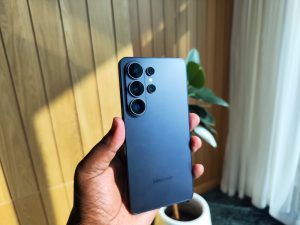
On paper, the hardware barely moved: a 200MP main sensor, a 50MP ultrawide, a 10MP 3x telephoto and a 50MP 5x telephoto. The results are consistently excellent. The phone is fast, reliable in low light, and doesn’t make you fight it for a good shot. The zoom range is where it earns its money. It holds more detail at distance than most rivals.
Not every user is so generous because some find the images flatter and with less depth than the best Android competition, and the small sensor behind the 3x lens is a fair target. Scored photo and video results are roughly level with the S25 Ultra. If you own last year’s Ultra, don’t expect any big improvements, but if you’re coming from anything older, you’ll see the gap at once.
Video is the quiet upgrade, thanks to Horizon Lock, which keeps footage level even as the phone rotates all the way around. The phone also records 8K video using a new APV codec.
Galaxy AI
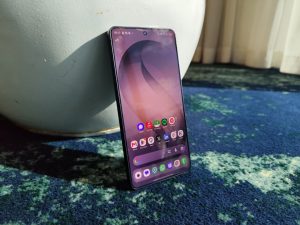
This is the third generation of Galaxy AI, and it’s the first that feels like it’s trying to be helpful instead of impressive. Samsung says Galaxy AI features are provided for free, although third-party services may have their own terms.
Now Nudge works interestingly, and it is key that you understand it this way: when a friend asks about your evening plans in a messaging app, it checks your calendar, spots conflicts, and shows a small pop-up. It surfaces suggestions in the Samsung Keyboard toolbar (which I used for a few days before switching to Gboard). Nonetheless, it is small, but it saves you from jumping between apps, and that’s the whole point.
Photo Assist now takes text prompts. It can remove unwanted objects and add new elements naturally. There is also an editing history, so you can refine and back out of changes. It’s good for the odd photobomber or stray signpost, and I’d keep it to small fixes.
Assistants, plural. Bixby remains the default, but you can swap in Gemini or Perplexity and call them with the side button or your voice. Gemini can now work inside your apps to finish multi-step tasks. Bixby also understands natural phrasing now. Say your eyes hurt and it will lower the brightness.
A few smaller features are worth knowing about:
- Call Screening: answers unknown numbers and tries to work out why they’re calling (I have never tested it, I doubt it works in Kenya).
- Notification Highlights: summarises long conversations and prioritises your notifications.
- Audio Eraser: removes background noise from videos in the Gallery, and now works across live audio too.
None of this will change your life, but taken together, these features make the phone feel less like a showcase and more like a tool. It’s a better direction than the AI party tricks of two years ago.
Software and everything around it
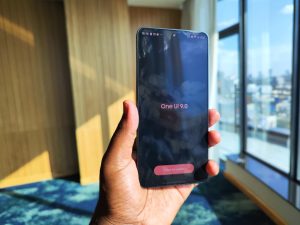
One UI 9 on Android 17 is Samsung’s strongest card, and it is the reason the price makes any sense. The ecosystem is the other advantage. No other Android phone has such a wide choice of cases and accessories. That’s a dull reason to buy a phone until you need a replacement charger or case in a hurry.
What still annoys me
- No built-in Qi2 magnets. Samsung chose a thinner body over magnets, probably because magnets interfere with the S Pen. A phone at this price shouldn’t need a case just to snap onto a magnetic charger (I have such a case).
- The S Pen. The rounder corners make it possible to slot it in the wrong way, and it still has no Bluetooth.
- The screen’s rough edges. There is a low PWM rate and 8-bit colour output. Most people won’t care. Some will.
- The price ladder. The step up to 512GB is steep, so stick to the base model unless you have a specific reason not to.
Verdict
The S26 Ultra doesn’t win on a spec sheet because a cheaper phone will give you a bigger battery, and another will give you a flatter, more neutral camera. What Samsung has built is a phone that gets the daily things right: a screen that protects you in public, a camera that rarely lets you down, a battery that gets through the day and charges fast, and software that quietly saves you steps.
If you’re on an S25 Ultra, skip it. If you’re on something older, or switching from another brand, it’s easy to recommend, with conditions. Test the screen first if you’re sensitive to flicker. Hunt for a good price, but check the warranty. And watch the battery after the first year, because that is the real test of whether this phone is still as good in 2027.
The good
- Privacy Display that actually works
- Reliable camera with strong zoom
- Great battery life and fast 60W charging
- Seven years of updates
- Galaxy AI that’s useful rather than showy
The bad
- No Qi2 magnets
- Screen quality takes a hit with Privacy Display on
- Prices are climbing
- Battery longevity is unproven